A fake crypto website may copy a real exchange, wallet or token claim page while using a look-alike domain. Verify the full domain through an independent official source before logging in, downloading software, connecting a wallet or signing anything. A padlock alone does not prove the site is legitimate.
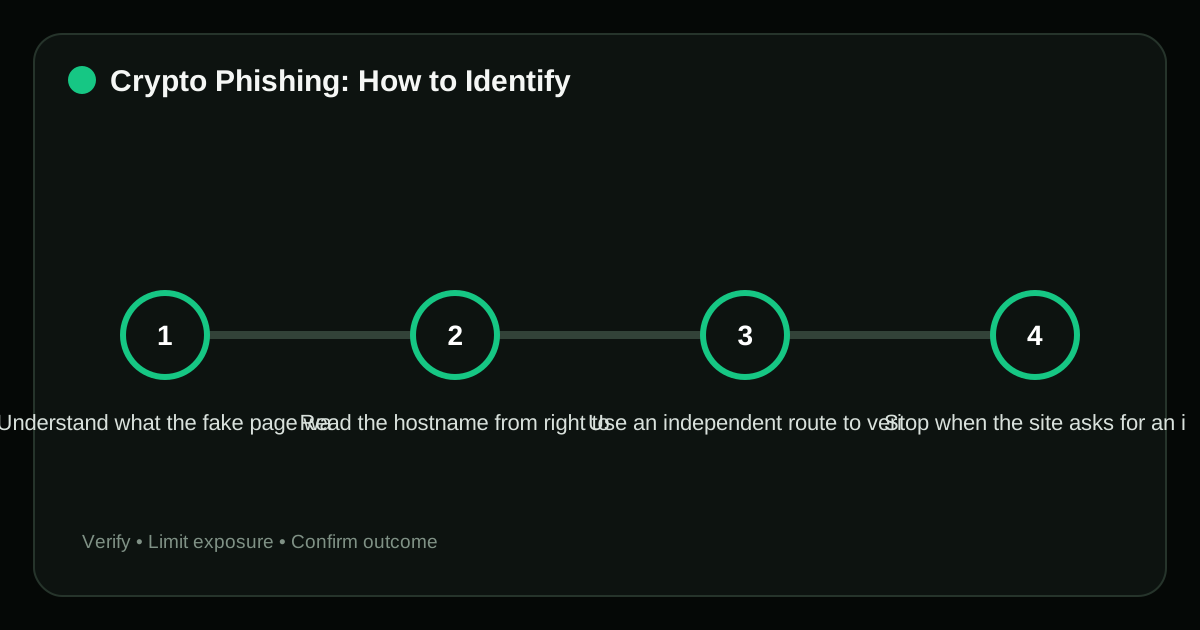
Understand what the fake page wants#
Crypto phishing pages are built for different outcomes. Some capture exchange credentials and one-time codes. Others request a seed phrase under the pretext of “syncing” a wallet. A Web3 drainer may let you connect normally, then present an approval or signature that authorizes asset movement.
The visual quality of the page is weak evidence. Attackers can copy logos, text, design systems and even help-center articles. The reliable evidence lies in the domain, the software publisher, the transaction payload and the route you used to reach the page.
Read the hostname from right to left#
In support.example.com, the registrable domain is example.com; “support” is a subdomain. In example.com.security-check.net, the controlling domain is security-check.net, not example.com.
Watch for:
- misspellings, substituted characters and extra words;
- unfamiliar country-code or generic extensions;
- brand names placed in a subdomain of an unrelated site;
- URL shorteners that hide the destination;
- search advertisements appearing above the real result;
- internationalized characters that resemble Latin letters.
HTTPS only means the connection to that domain is encrypted. Scammers can obtain valid TLS certificates for their own fake domains. Certificate warnings are serious, but the absence of a warning is not an endorsement.
Use an independent route to verify the official site#
Do not verify a link using information contained in the same message that delivered it. Open a saved bookmark, type a previously verified address, use the official mobile app, or find the domain through multiple established project channels.
For an exchange security warning, open the exchange separately and inspect notifications inside the account. The FBI advises users who receive an urgent exchange call or message to end the contact and reach the company through its official number or website rather than the sender’s link.
Stop when the site asks for an impossible secret#
No normal decentralized application needs your seed phrase or raw private key. Those secrets restore or control the wallet; they are not connection credentials.
Other high-risk prompts include:
- installing remote desktop software for “support”;
- disabling antivirus or browser warnings;
- downloading an unsigned wallet update from a file-sharing service;
- entering a sequence of MFA codes repeatedly;
- sending a “verification transfer” to protect an account;
- signing an unreadable message immediately to avoid suspension.
Urgency is part of the attack. A legitimate security process should survive the time required to verify it independently.
Inspect the wallet request separately from the website#
A real domain can be compromised, and a fake interface can send a technically valid transaction. Before signing, read the wallet prompt and identify the chain, contract, asset, amount and permission.
Reject unexpected Approve, Permit, SetApprovalForAll, ownership changes or broad signature requests. Use a low-balance interaction wallet for unfamiliar sites. If the purpose is only to view a balance, prefer a block explorer that needs no wallet connection.
What to do after visiting a suspected phishing page#
Merely loading a page does not normally transfer assets, but downloads, credentials, signatures and approvals create different exposure.
- Close the page and do not return through the suspicious link.
- If credentials were entered, secure the recovery email, change the password through the official site and revoke sessions.
- If an MFA code was entered, treat the session as potentially compromised and contact official support.
- If a wallet signed an approval, inspect and revoke the allowance.
- If a seed phrase was entered, create a wallet with a new phrase and move remaining assets.
- Preserve the URL, messages, transaction hash and receiving addresses for reporting.
Frequently asked questions#
Does HTTPS mean a crypto website is safe?
No. HTTPS protects data in transit to the domain shown in the address bar. It does not prove that the domain belongs to the real company.
Can a wallet be drained just by connecting?
Connection normally reveals the public address. Loss usually requires a signature, approval, exposed key or wallet/software vulnerability. Still, disconnect and review permissions if the site was suspicious.
Is the first search result always official?
No. Advertisements, manipulated rankings and copied snippets can place a fake page prominently. Verify the hostname independently.
Should I use a domain-age checker?
It can be one signal, but an old domain may be compromised and a new legitimate project may use a recent domain. Do not let age override direct verification and transaction review.
Sources#
- CISA: Phishing Guidance
- FBI IC3: Scammers Impersonating Cryptocurrency Exchanges
- Ethereum.org: Security and Scam Prevention
- Trezor: Common Scams and Phishing
Risk notice: Domain checks reduce risk but cannot prove that a website, front end or smart contract is safe. Verify both the route and the authority requested.
Editorial standard
This guide is educational and source-led. Security controls, exchange rules and legal requirements can change; verify critical steps through the relevant official service before acting.